
If an invoice is in Fetch Approvals but not assigned to anyone to approve, you can move it to the correct workflow for approval.
Go to the Unassigned workflow
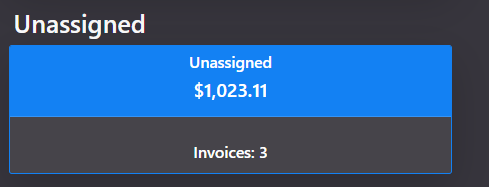

Click into the invoice you want to assign, either by double clicking the line or single clicking on the document icon at the start of the line.
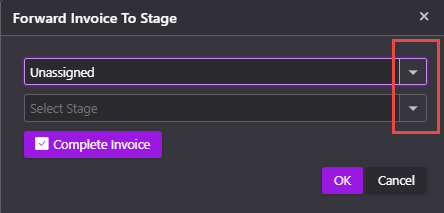
Click Forward

Select the workflow and stage you want to send the invoice to.
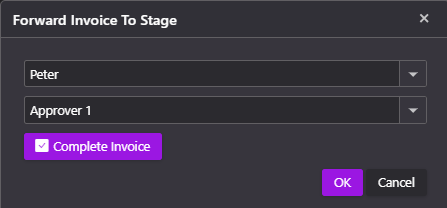
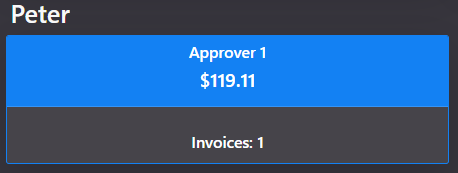
The invoice is now waiting for Peter to approve it.
 Welcome to Fetch Help
March 22, 2023
Welcome to Fetch Help
March 22, 2023
 When invoices pages are merged or split incorrectly
May 31, 2024
When invoices pages are merged or split incorrectly
May 31, 2024
 Changing Approvals Criteria for Invoices in Fetch Approvals
April 24, 2024
Changing Approvals Criteria for Invoices in Fetch Approvals
April 24, 2024
 Setting up a new Workflow in Fetch Approvals
April 24, 2024
Setting up a new Workflow in Fetch Approvals
April 24, 2024
 Adding a new user in Fetch Approvals
April 24, 2024
Fetch Approvals for Admin Team
January 4, 2024
Adding a new user in Fetch Approvals
April 24, 2024
Fetch Approvals for Admin Team
January 4, 2024
Comment
Leave a Reply